Surrogate Models

Accelerate Simulations and Apps with Surrogate Models

Surrogate models provide accelerated, compact approximations of high-fidelity simulation models. In COMSOL Multiphysics®, they can be trained on simulation data to reproduce model behavior within a sampled design space, enabling faster evaluation in apps, optimization studies, uncertainty quantification (UQ), and digital twins.

Contacter COMSOL
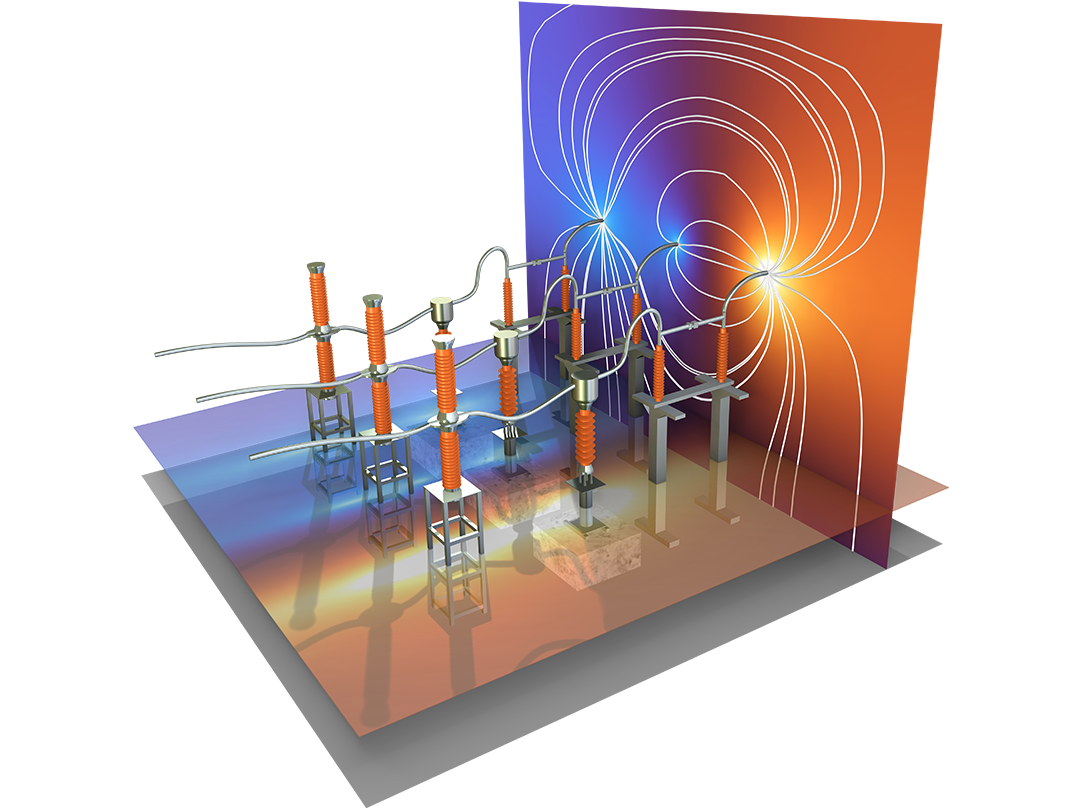
A switchgear model showing the electric field.

Benefits of Surrogate Models

  • Evaluate results faster:
    • Replace repeated full simulations with fast surrogate model evaluations.
  • Create interactive simulation apps:
    • Embed high-fidelity model behavior in apps that respond quickly.
  • Accelerate UQ and optimization:
    • Explore large parameter spaces with fewer full model solves.
  • Support digital twins:
    • Use compact approximations where near-real-time prediction is needed.

Surrogate Modeling Workflow

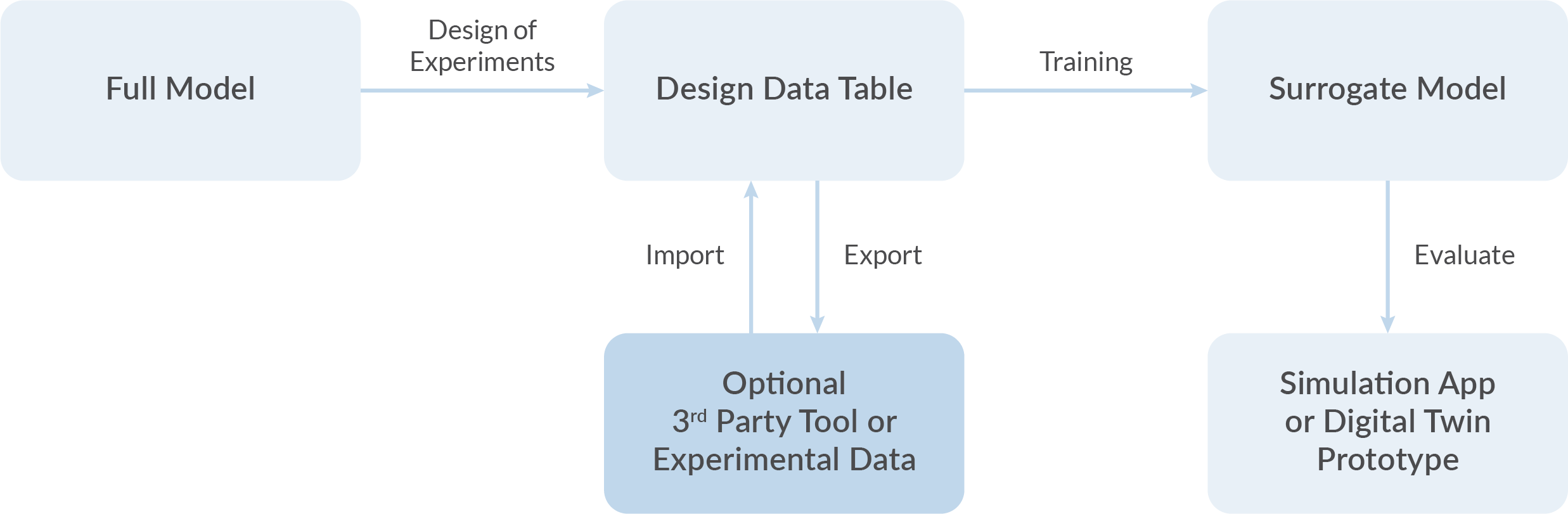
Creating a surrogate model typically starts with a physics-based model solved over a selected range of parameter combinations. The resulting data, often generated using a design-of-experiments (DOE) method, is used to train a surrogate model that approximates the behavior of the original simulation within the sampled design space.

With COMSOL Multiphysics®, training data can be generated from simulation studies, imported from external tools, or based on experimental data. Simulation and experimental data can also be combined. Once trained, the surrogate model can be evaluated within COMSOL models and apps or exported for use in external tools.

Surrogate Modeling Features and Functionality

Tools for creating and using data-driven surrogate models.

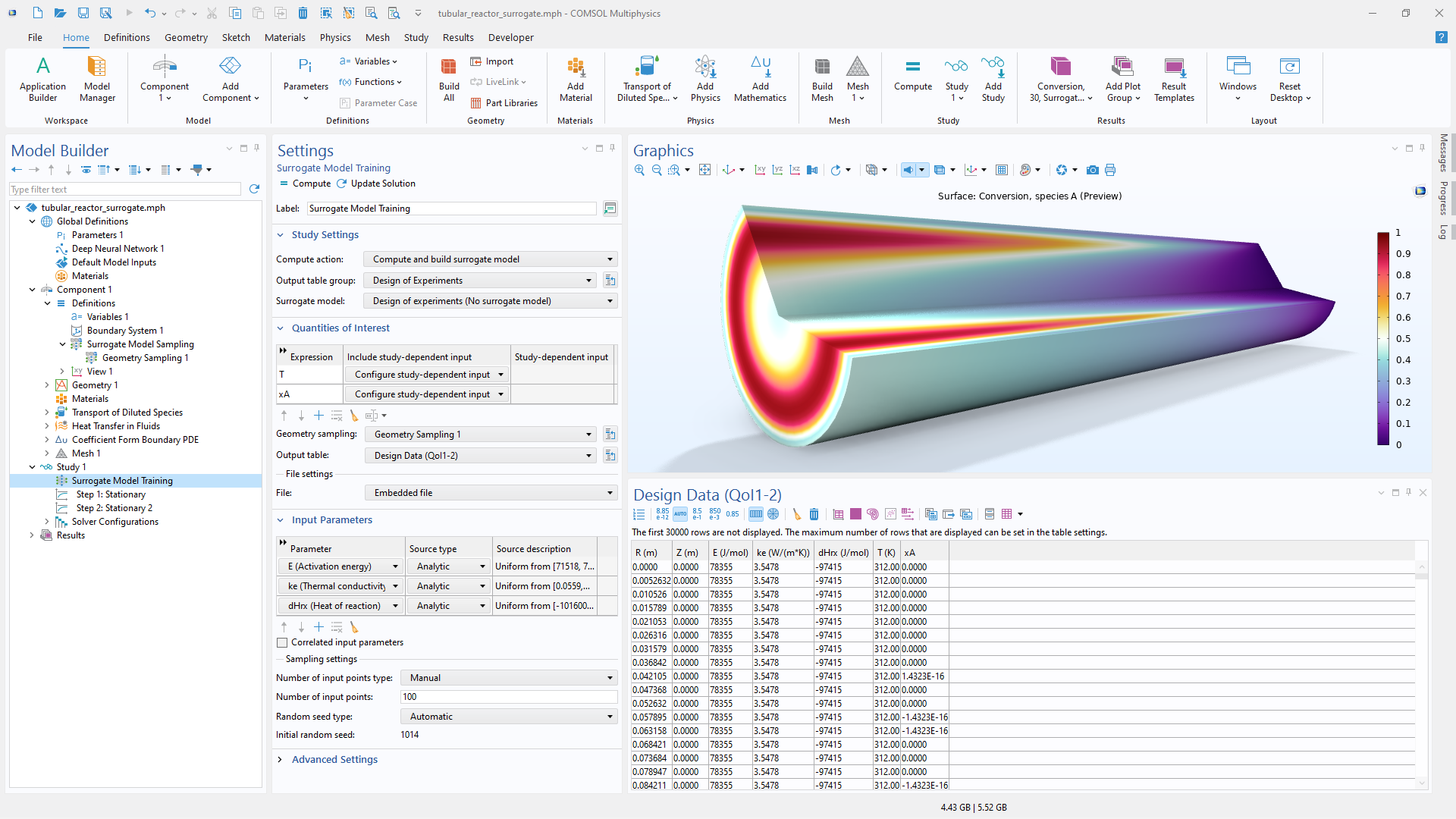
A close-up view of the Surrogate Model Training settings and a tubular reactor model in the Graphics window.

Generating Design Data

In COMSOL Multiphysics®, data for training surrogate models can be generated from simulation studies, imported from external sources, or created automatically as part of dedicated functionality for UQ and optimization. For general surrogate model training, input parameters and quantities of interest are defined and the parameter space is sampled using DOE methods such as Latin hypercube sampling.

Each sampled input point typically corresponds to a full simulation used to generate the training dataset. To improve efficiency, data generation can be parallelized and distributed across computational resources. Once the data is available, a surrogate model function can be created and trained, providing a quick-evaluating approximation of the simulation results.

For UQ and global optimization studies, specialized surrogate models can be generated using adaptive sampling methods that focus computational effort where it is most valuable.

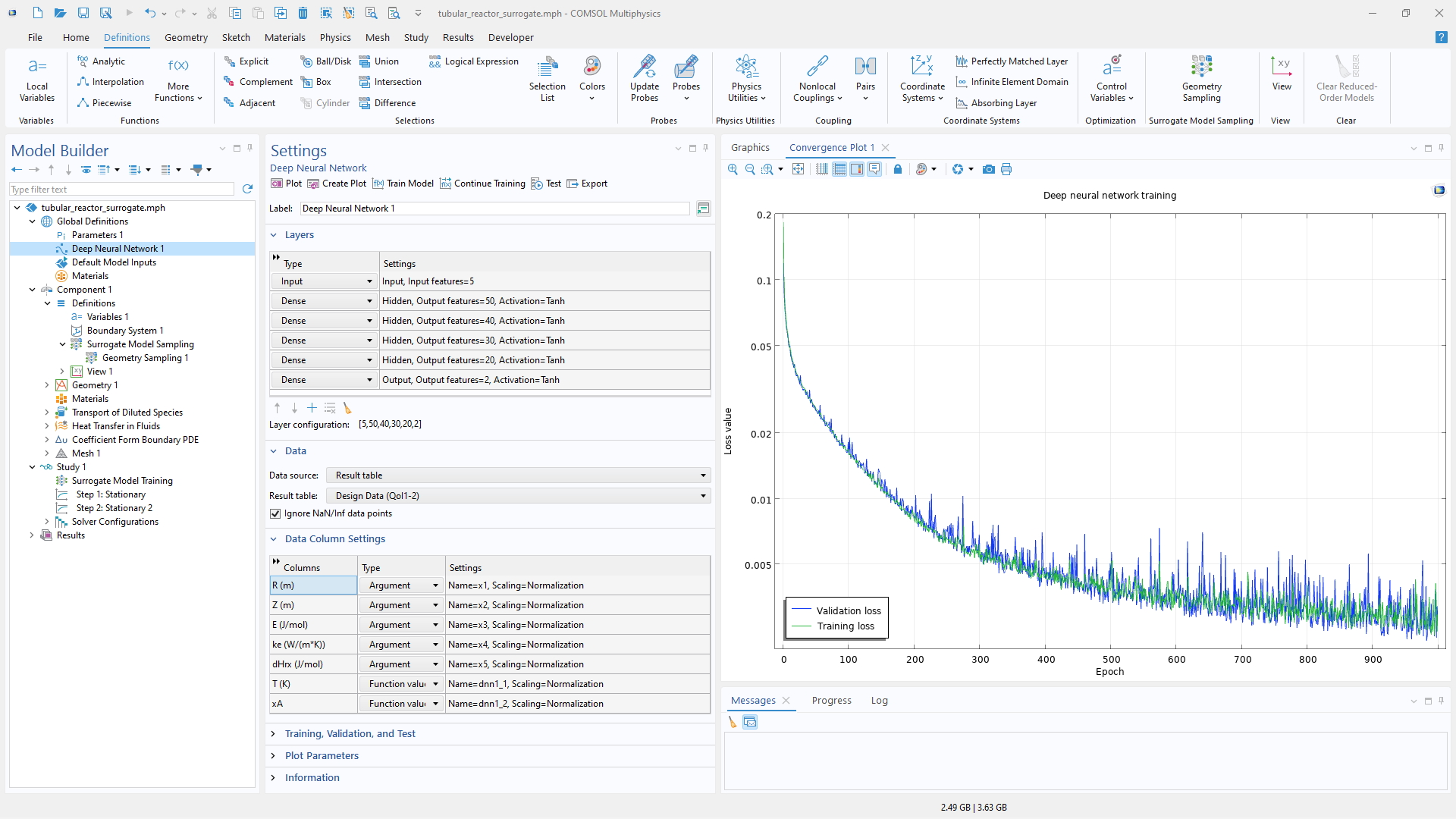
A close-up view of the Model Builder with the Deep Neural Network node highlighted and a 1D plot in the Graphics window.

Surrogate Model Training

Surrogate model training in COMSOL Multiphysics® is performed directly from the Settingswindow of the corresponding function definition. For deep neural networks (DNNs), the industry-standard Adam solver provides fast and robust training, with hyperparameter settings for learning rate, batch size, number of epochs, validation data, and stopping criteria.

During training, convergence plots show the evolution of the training and validation loss, making it easy to monitor progress and assess model quality.

For Gaussian process (GP) and polynomial chaos expansion (PCE) surrogate models, dedicated adaptive training methods are used to minimize the number of required model solves while building accurate surrogate representations.

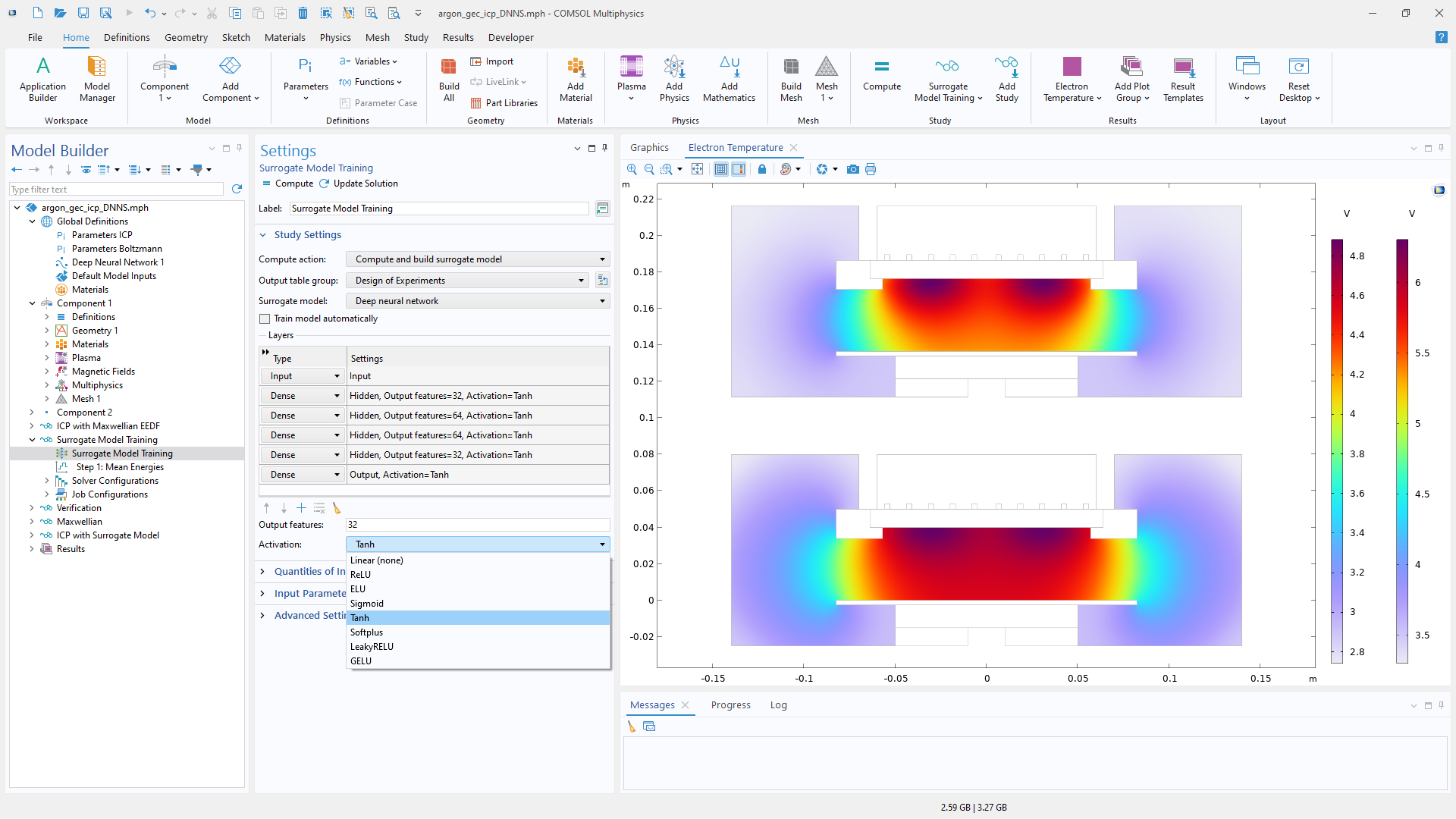
A close-up view of the Surrogate Model Training settings and two inductively coupled plasma plots in the Graphics window.

DNN Architecture

A DNN surrogate model is built from an input layer, multiple hidden layers, and an output layer, with each layer containing nodes that process information as it moves through the network. In COMSOL Multiphysics®, the network architecture can be customized by defining the number of layers and the number of nodes per layer. Each layer can also be assigned its own activation function, providing control over how information is transformed at each stage of the network.

Available activation functions include linear, ReLU, ELU, sigmoid, tanh, softplus, leaky ReLU, and GELU.

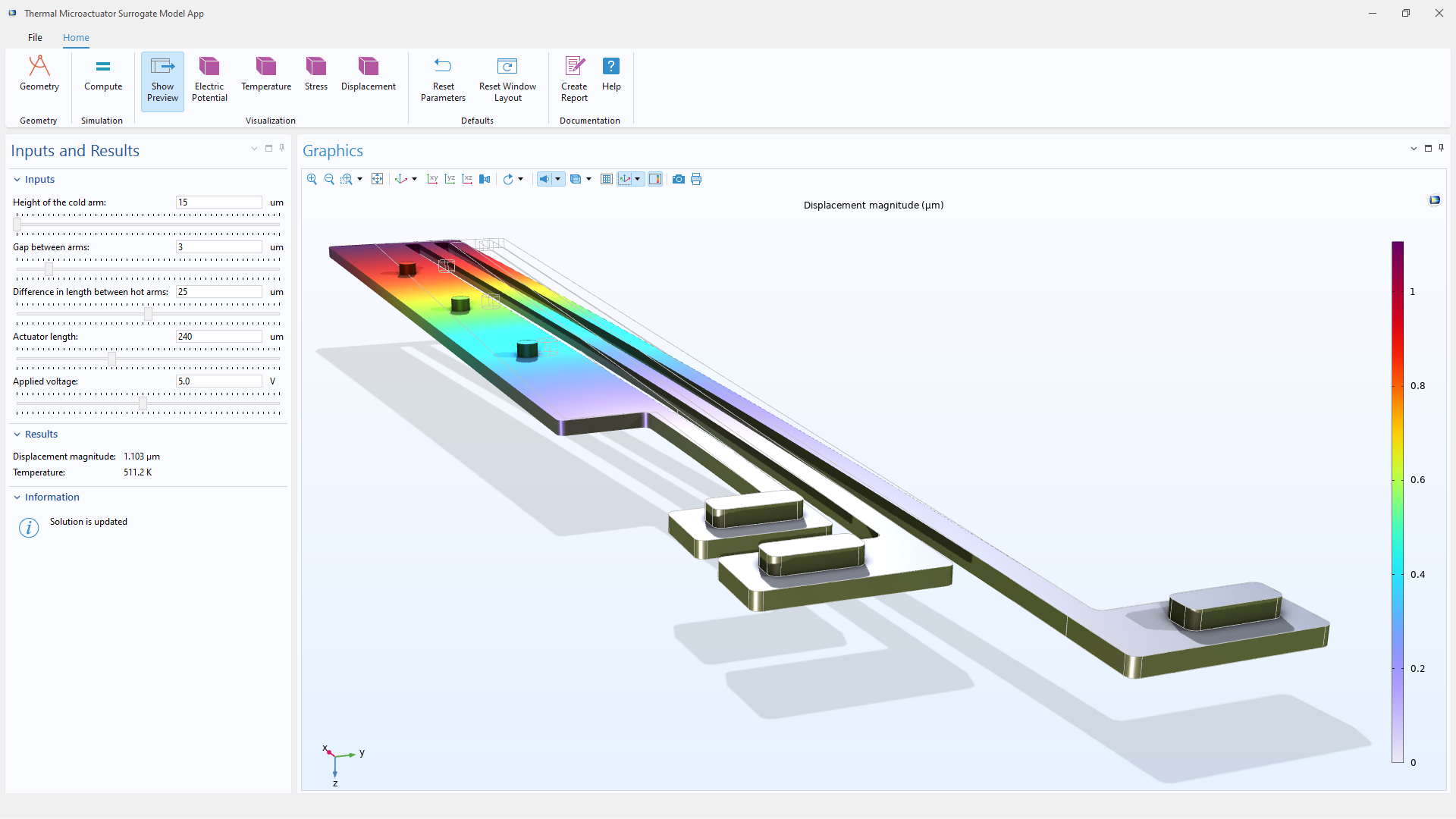
A close-up view of the Application Builder UI showing the Inputs and Results column and a thermal actuator model in the Graphics window.

Geometry Sampling

Geometry sampling enables surrogate models to represent spatially varying fields over a computational domain. Instead of treating spatial coordinates as ordinary design parameters and solving the full model for each sampled point, the model is solved for selected combinations of driving parameters, while field values are stored for the entire geometry or selected parts of it.

This approach makes efficient use of each full solution and can generate large training datasets for DNN surrogate models. Once trained, the surrogate function can quickly reconstruct quantities such as temperature, displacement, stress, or electric potential throughout the geometry while retaining the spatial context of the underlying CAD geometry and mesh.

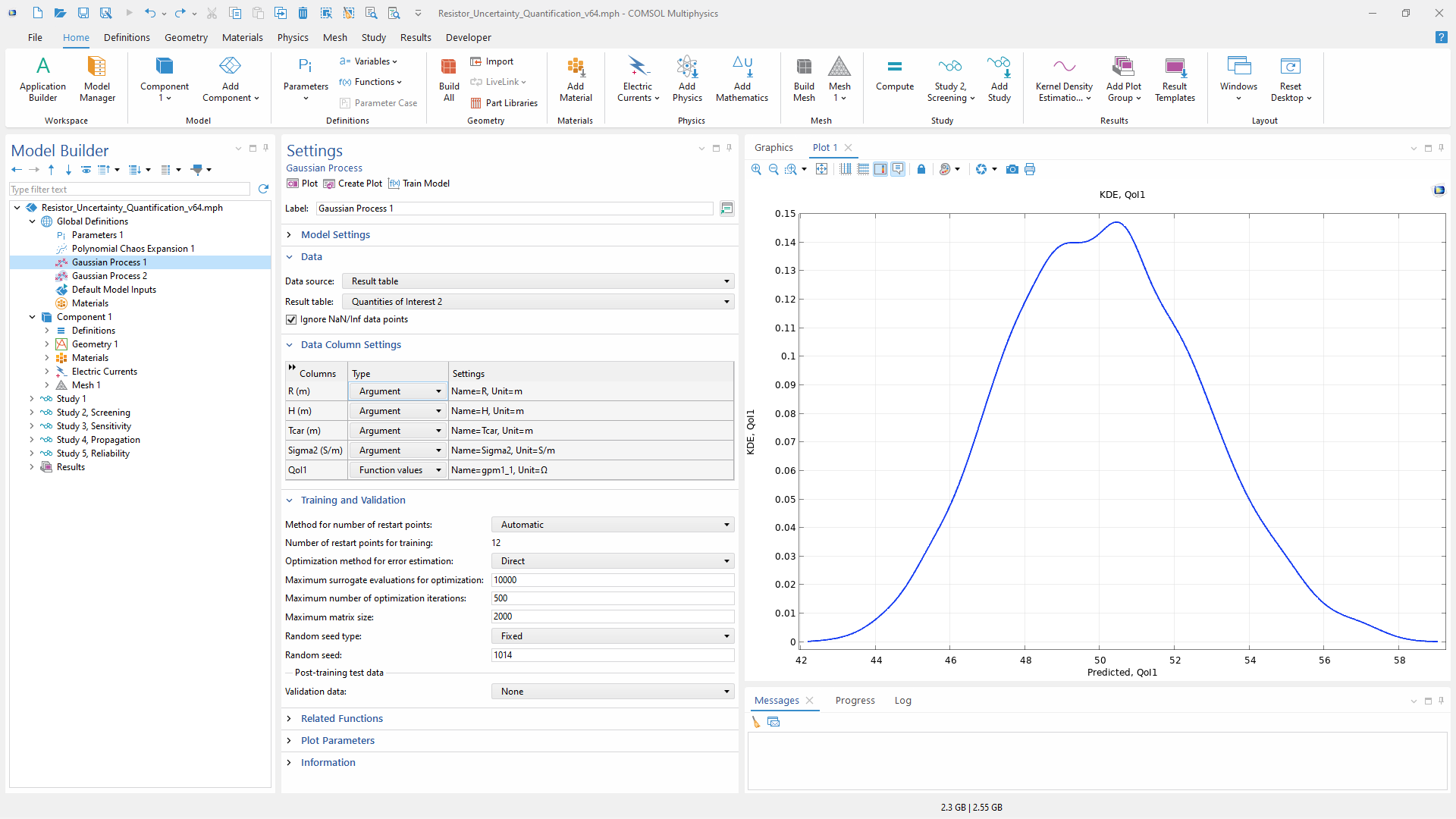
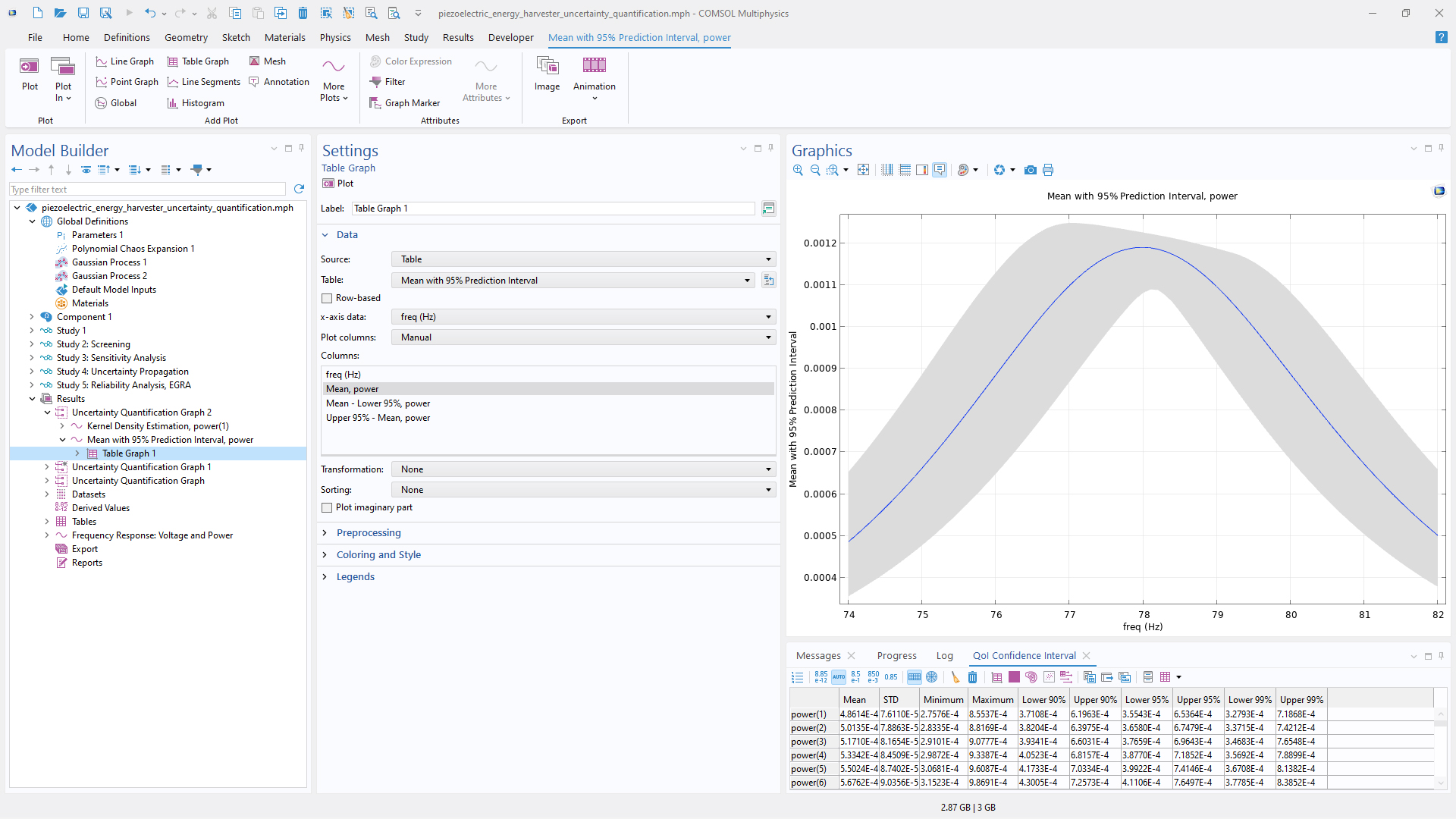
A close-up view of the Gaussian Process settings and a 1D plot in the Graphics window.

UQ

Surrogate models based on Gaussian process (GP) and polynomial chaos expansion (PCE) methods are available in the Uncertainty Quantification Module and are central to efficient UQ studies. By approximating the relationship between uncertain input parameters and quantities of interest, they make it possible to perform repeated evaluations at a much lower computational cost than that of running the full simulation model each time.

These surrogate models support UQ studies such as screening, sensitivity analysis, uncertainty propagation, reliability analysis, and inverse UQ. They can help identify the input parameters that most strongly influence the results, quantify their contribution to output variation, evaluate probability distributions of quantities of interest, estimate the risk of exceeding specified thresholds, and infer the distribution of unknown input parameters.

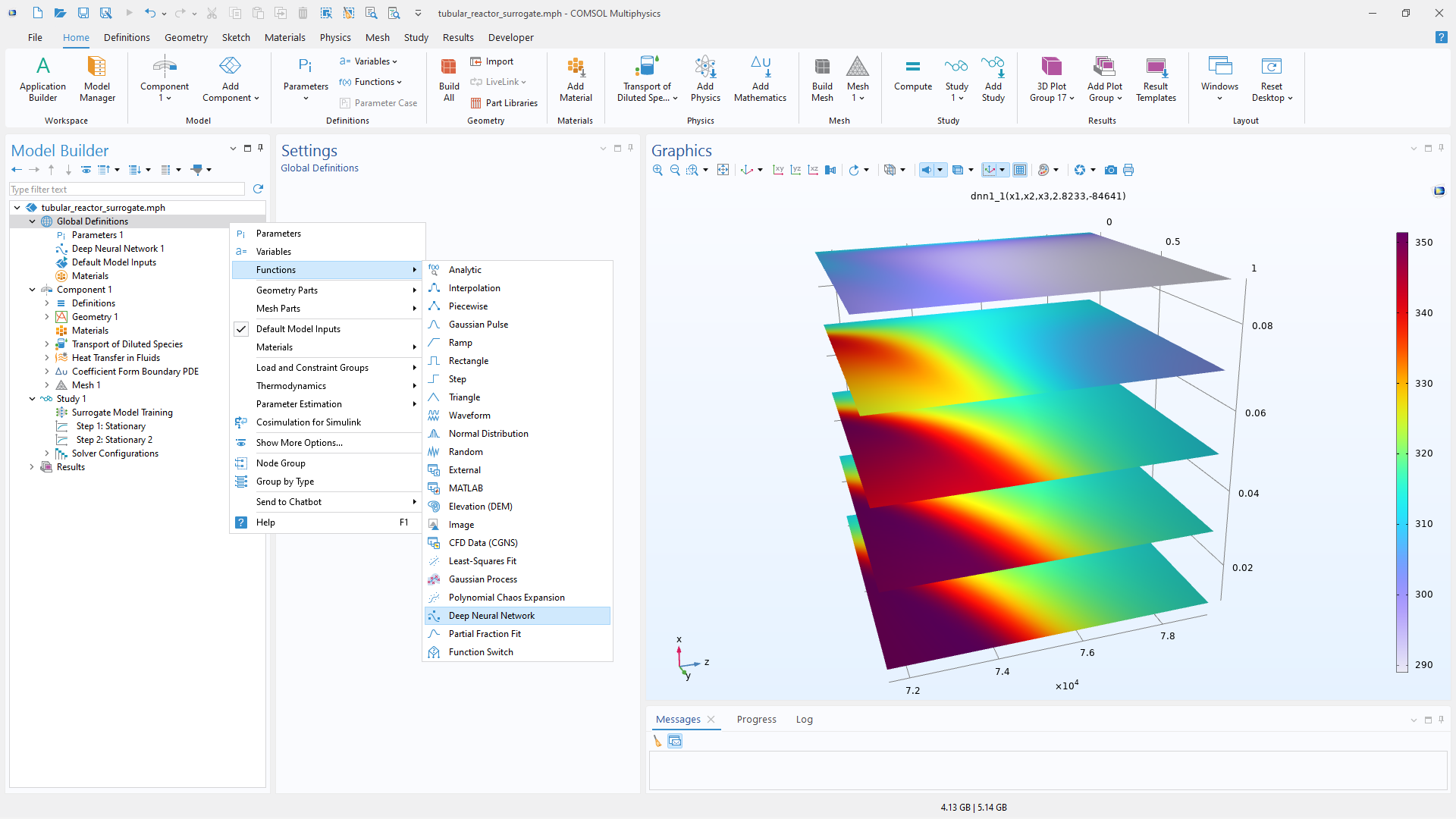
A close-up view of the Model Builder with the Global Definitions node highlighted and a plot in the Graphics window.

Surrogate Model Functions

Surrogate models are available as general-purpose functions in the COMSOL Multiphysics environment. They provide fast-evaluating approximations of simulation results and can be used to replace an entire physics model or selected parts of a model, accelerate repeated evaluations, support optimization and UQ, and visualize results.

Surrogate models are used for multidimensional function approximation and are well suited for capturing nonlinear behavior in datasets. They provide a flexible alternative to simple linear interpolation, making it possible to represent more complex relationships between inputs and outputs. The functions also support symbolic differentiation with respect to any input parameter, enabling efficient gradient-based analysis and design.

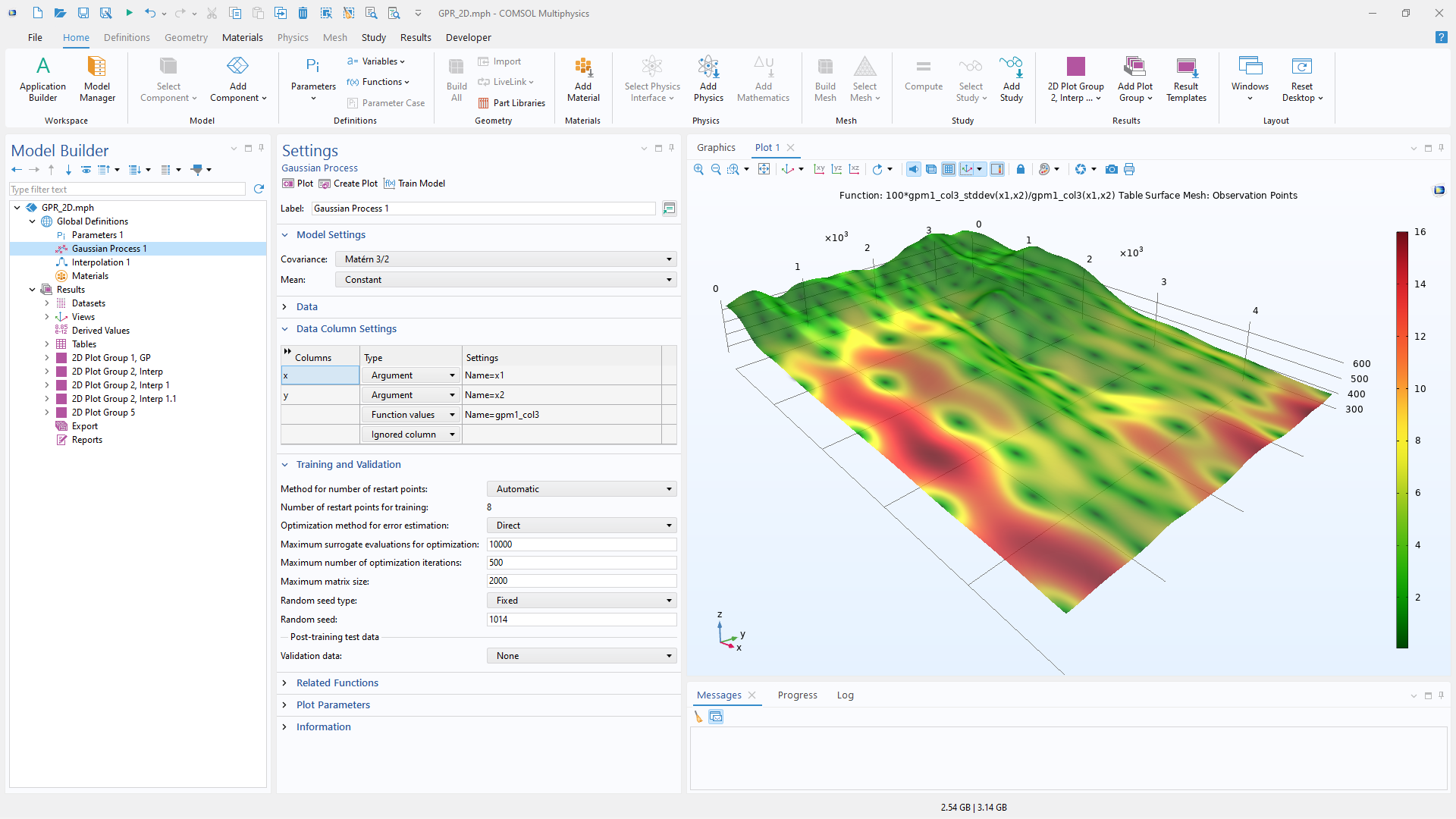
A close-up view of the Model Builder with the Gaussian Process node highlighted and the Graphics window displaying a Gaussian Process surrogate model function, visualizing the standard deviation estimate in color.

Types of Surrogate Models

The available surrogate model functions include:

Deep Neural Network (DNN) A general-purpose surrogate model that can handle data tables with millions of rows. DNN surrogate models can be trained and used in COMSOL Multiphysics® without add-on products.

Gaussian Process (GP)1 A surrogate model that provides uncertainty estimates for the quality of the data fit. GP models are efficient for data tables with up to a few thousand rows.

Polynomial Chaos Expansion (PCE)1 A surrogate model particularly well suited for UQ and sensitivity analysis. PCE represents quantities of interest using a polynomial basis defined by the probability distributions of the input parameters.

Already-trained surrogate models can be used in COMSOL Multiphysics® without any add-on products.

A close-up view of the Model Builder and a 1D plot in the Graphics window.

Frequency, Time, and Parametric Sampling

DNN surrogate models, as well as specialized surrogate models for UQ, support frequency- and time-dependent quantities of interest. This enables fast evaluation over all computed frequency points, time steps, or parameter values from the underlying study, without requiring additional simulations.

By making use of the full range of computed results, surrogate models can capture how quantities of interest vary with frequency, time, or other parameters. This is especially useful for RF, acoustics, MEMS, and battery simulations, where performance often depends on responses that vary over a frequency or time range. The resulting surrogate functions can be used for visualization, design exploration, optimization, and UQ.

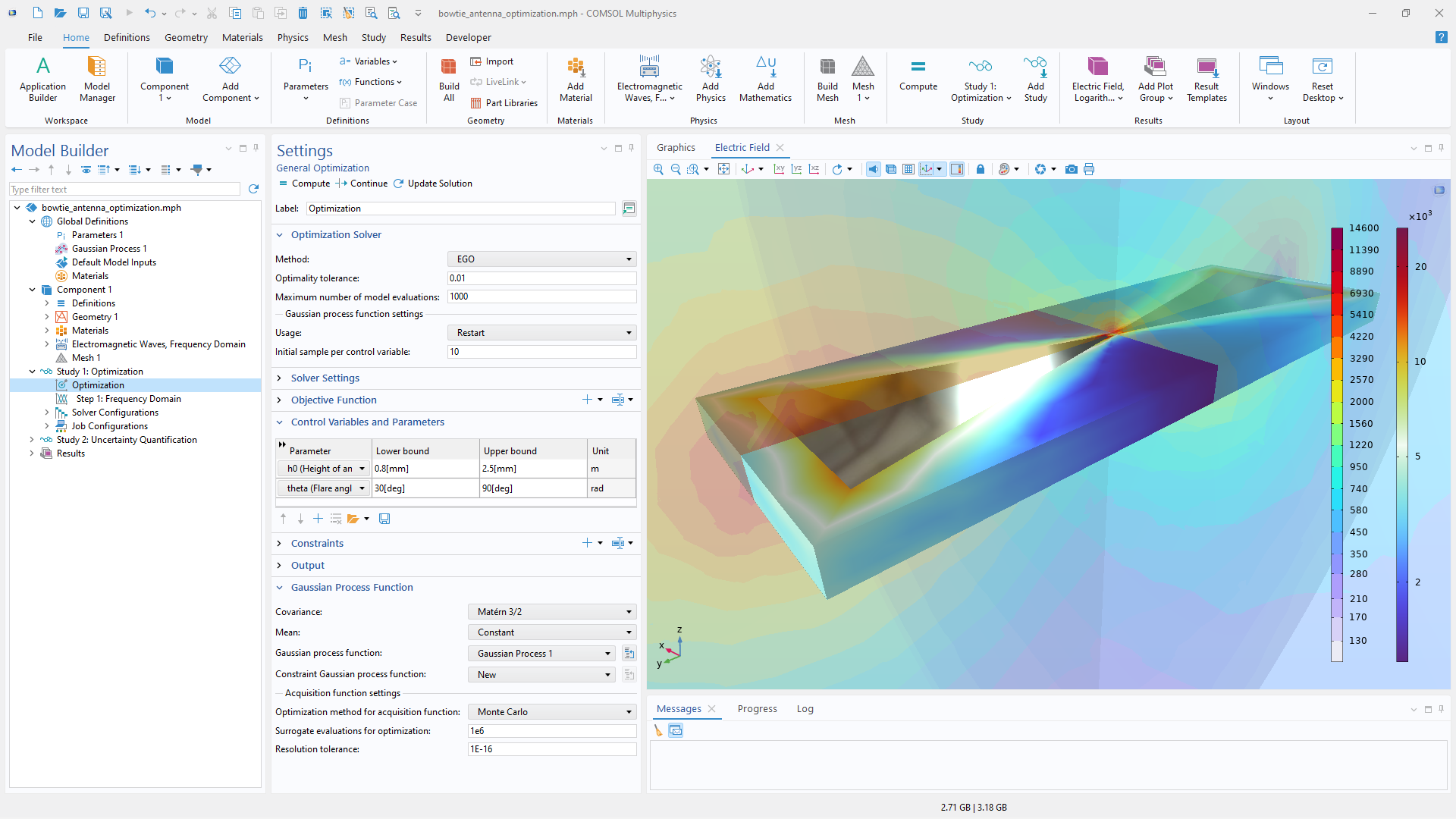
A close-up view of the General Optimization settings and a bow tie antenna model in the Graphics window.

Optimization with Surrogate Models

Surrogate models can be used together with optimization methods in the Optimization Module to reduce the cost of repeated model evaluations. Since surrogate functions evaluate quickly, they are well suited for both local and global optimization.

Local optimization solvers can be applied to an already-trained surrogate model. For global optimization, the efficient global optimization (EGO) solver uses Bayesian optimization to adaptively build a Gaussian process surrogate model of the objective function as the optimization progresses, emphasizing regions where promising objective values are found.

Simulation Apps and Digital Twins

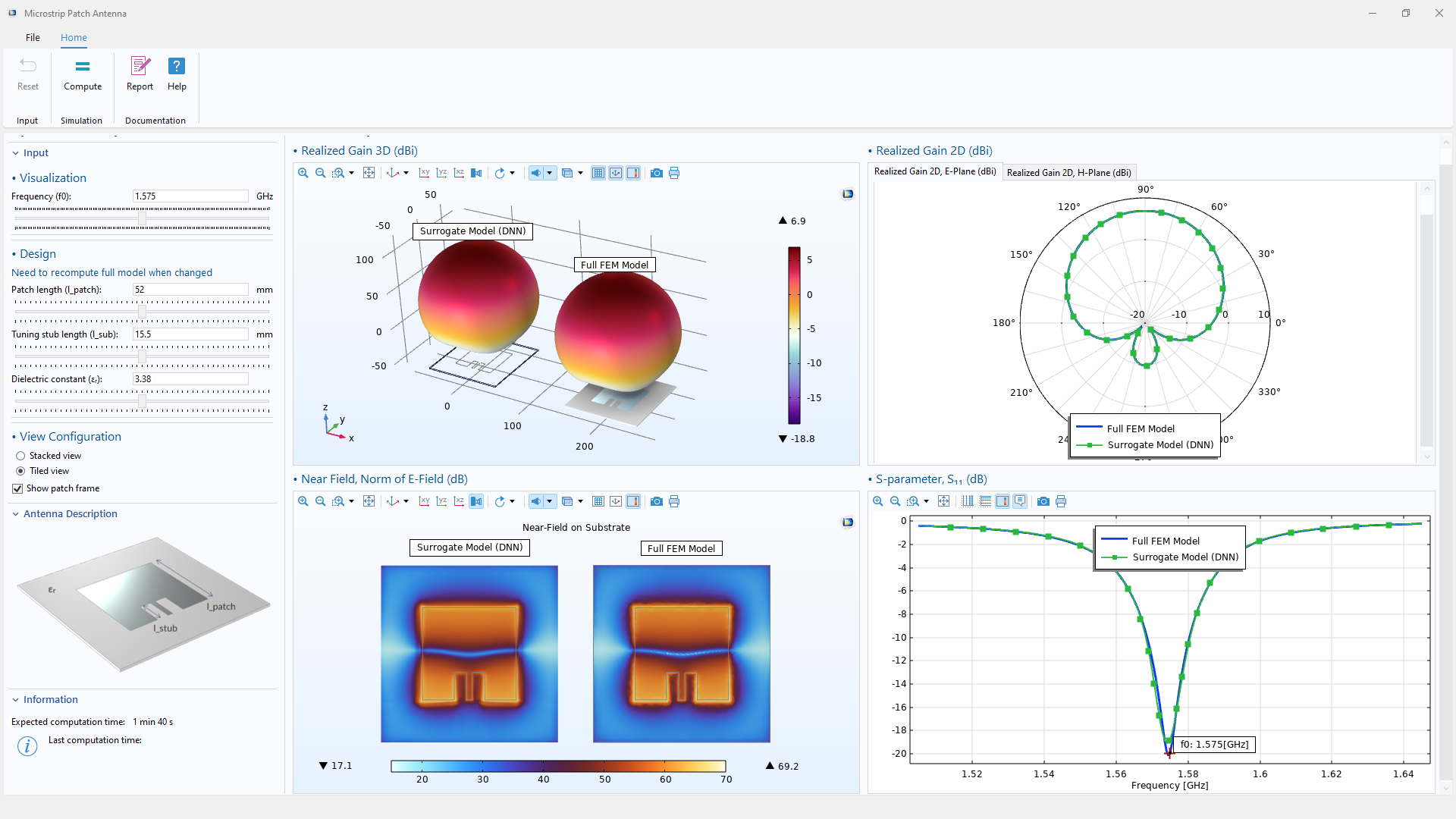
With the Application Builder and COMSOL Compiler™, simulation experts can create and deploy custom apps that make advanced multiphysics models accessible to a wider audience.

Built-in support for generating simulation data for machine learning, including the training of deep neural networks (DNNs), enables users to create fast, compact surrogate models based on high-fidelity simulation results.

By substituting a full-scale finite element model with a surrogate model, the computational speed and efficiency of simulation apps can be significantly improved. Surrogate models integrate seamlessly into apps and digital twins, enabling near-instantaneous results, more interactive and responsive user experiences, and faster system modeling workflows. These capabilities make it possible to perform analyses that would otherwise require substantial computational time and resources while supporting broader deployment of simulation across an organization.

Chaque activité et chaque besoin en matière de simulation est unique.

Afin d'évaluer pleinement si le logiciel COMSOL Multiphysics® répond ou non à vos exigences, nous vous invitons à nous contacter. En parlant à l'un de nos représentants, vous obtiendrez des recommandations personnalisées et des ressources détaillées qui vous aideront à tirer le meilleur parti de votre évaluation et vous guideront pour choisir l'option la plus adaptée à vos besoins en matière de licence.

Il vous suffit de cliquer sur le bouton "Contacter COMSOL", d'indiquer vos coordonnées et tout commentaire ou toute question spécifique et de soumettre votre demande. Vous recevrez une réponse d'un représentant de COMSOL très rapidement.

Prochaine étape:

Demander une démonstration du logiciel